
WordPress Membership Portal Development for Subscription-Based Businesses
We build WordPress membership portals with gated content, tiered access levels, recurring payments, and member management systems designed for businesses that monetize content, communities, or services through subscriptions.
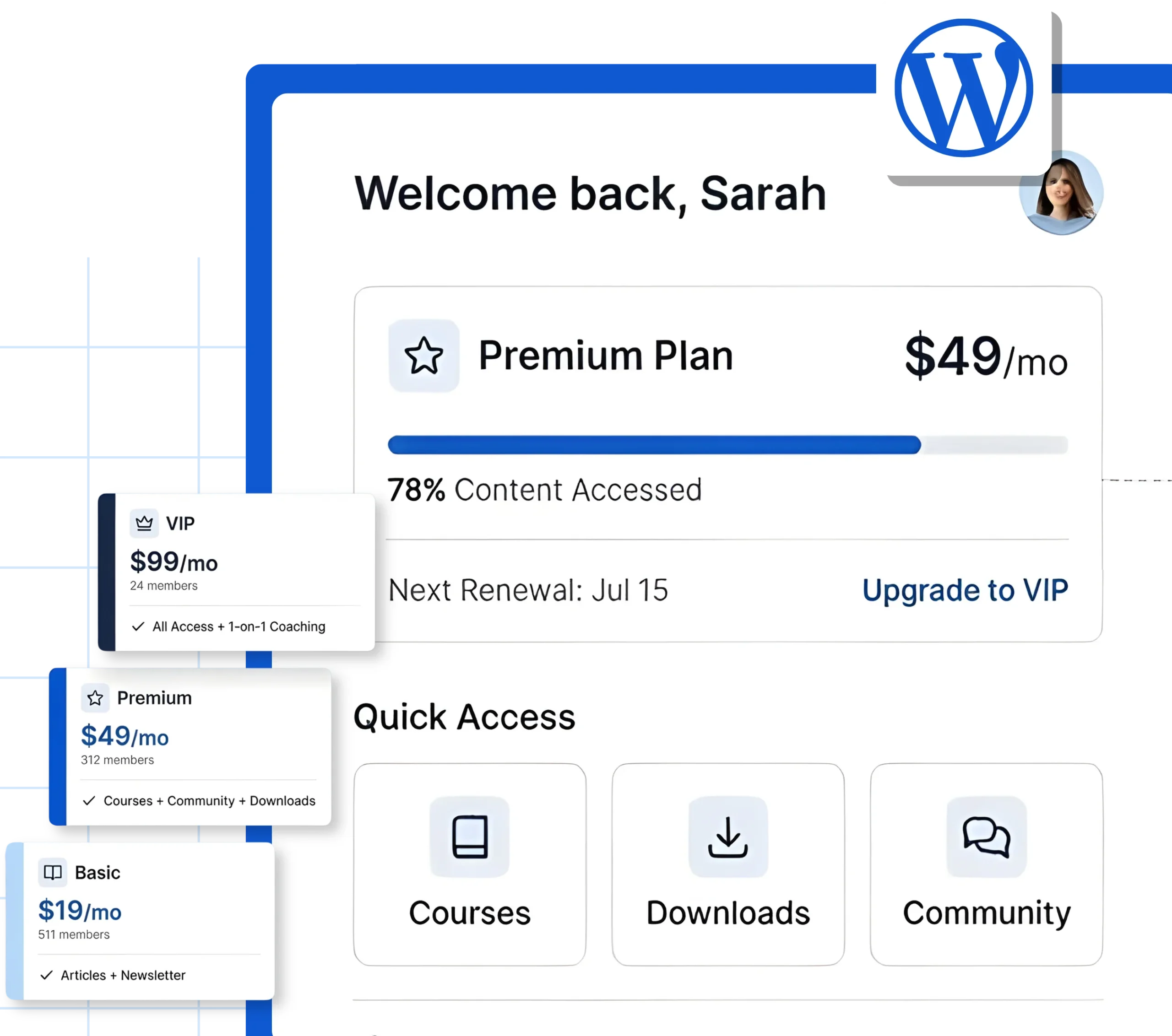

What Is a WordPress Membership Portal
A WordPress membership portal is a restricted-access section of your website where registered members can access exclusive content, courses, downloads, community features, or services based on their subscription level. Members register, pay, and manage their accounts through a secure dashboard integrated directly into your WordPress site.
Turn Your Content, Courses, or Services Into Recurring Revenue
A membership portal transforms one-time visitors into paying subscribers. Instead of selling individual products or relying on ad revenue, you create a system where members pay monthly or annually for ongoing access to what you offer.
Gated Content With Tiered Access
Control who sees what based on membership level. Free, basic, premium, and VIP tiers with different content permissions.
Recurring Revenue Through Subscriptions
Collect monthly, quarterly, or annual payments automatically through integrated payment gateways like Stripe and PayPal.
Scalable Member Management
Handle hundreds or thousands of members with automated registration, login, account management, and renewal workflows.

WordPress Membership Portals Work for Businesses With Subscription Models
Ideal for businesses selling courses, coaching programs, or certification content behind a paywall with progress tracking and drip scheduling.
A strong fit for publishers, newsletters, and content platforms that need paywalled articles, archives, or premium editorial content.
Useful for industry associations, trade bodies, and professional networks that manage member directories, resources, and event access.
Helpful for software businesses that offer gated documentation, support portals, premium downloads, or beta access to subscribers.
Works well for businesses selling workout programs, nutrition plans, or wellness content through structured membership tiers.
Best for nonprofits that provide members-only resources, donor dashboards, or exclusive event access based on contribution levels.
Everything Included in Our WordPress Membership Portal Development
From plugin selection to payment integration, we handle the full technical setup needed to launch a membership portal that is secure, scalable, and ready to accept payments.
Membership Plugin Setup and Configuration
We implement the right membership plugin for your model, whether that is MemberPress, Paid Memberships Pro, WooCommerce Memberships, or Restrict Content Pro, configured for your content and pricing structure.

Member Dashboard and Account Management
A branded member area where subscribers can log in, manage their profile, view their subscription status, access content, and update payment details.
Membership Levels and Content Restriction
Tiered access levels created with role-based content restriction rules applied to pages, posts, categories, downloads, and custom post types.
Drip Content and Scheduling
Content released on a schedule based on membership start date or tier, so members receive access to new material over time instead of all at once.
Payment Gateway Integration
Stripe, PayPal, or other payment processors connected for one-time and recurring subscription billing with automated invoicing and receipt emails.
Secure Membership Infrastructure You Can Trust
Every membership portal we build includes security and privacy measures to protect member data, payment information, and restricted content.
SSL encryption across all member-facing pages
Secure payment processing through PCI-compliant gateways
Role-based access control preventing unauthorized content access
Automated account lockout and login protection
GDPR-compliant registration and data handling
Regular security updates and vulnerability monitoring
How We Build Your WordPress Membership Portal
From planning your membership model to launch, every project follows a structured process based on your content, audience, and revenue goals.
01
Discovery and Membership Architecture
02
Development and Integration
03
Testing, Launch, and Training
We test registration, payment, content access, and email workflows across all tiers, then launch and train your team on managing members and content.
Advanced Capabilities for Complex Membership Models
For businesses that need more than a basic paywall, we build and configure advanced membership functionality.
LMS and Course Integration
Connect your membership portal with LearnDash, Tutor LMS, or MemberPress Courses for structured learning paths with quizzes, certificates, and progress tracking.
Community and Forum Features
Add BuddyPress or BuddyBoss to create member-only communities, forums, groups, and social networking features within your portal.
WooCommerce Store Integration
Sell physical and digital products alongside memberships, offer member-only discounts, and bundle products with subscription plans.
Email Automation and CRM Integration
Connect with Mailchimp, ActiveCampaign, FluentCRM, or HubSpot to automate welcome sequences, renewal reminders, and member engagement campaigns.
Ready to Build a Membership Portal That Generates Recurring Revenue?
Tell us about your content, audience, and subscription model. Our team will assess the best membership architecture and share a clear plan with timeline and scope.

Frequently Asked Questions
It depends on your business model. MemberPress is the most complete all-in-one solution for content and course-based memberships. Paid Memberships Pro is flexible and developer-friendly with a strong free tier. WooCommerce Memberships works best when memberships are tied to an existing eCommerce store. Restrict Content Pro is lightweight and ideal for simpler content restriction needs. We recommend the right plugin based on your requirements.
Yes. Most membership plugins support unlimited tiers with different pricing, billing cycles, and content access rules. You can offer free, basic, premium, and VIP levels with monthly, annual, or lifetime billing options.
Content dripping releases material on a schedule relative to when a member joins. For example, a member who signs up today gets access to Module 1 immediately, Module 2 after seven days, and Module 3 after fourteen days. This keeps members engaged over time and reduces cancellation.
Yes. We integrate Stripe, PayPal, and other PCI-compliant payment gateways that support credit cards, debit cards, Apple Pay, Google Pay, and other digital wallet options depending on the gateway.
Yes. A membership portal can be added to any existing WordPress website without rebuilding. The membership plugin, payment gateway, and content restriction rules are configured on top of your current site.
Yes. We configure SSL, secure payment processing, role-based access, data export and deletion tools, and consent management to meet GDPR requirements. Member payment data is handled entirely by PCI-compliant third-party processors and is never stored on your server.
Yes. By integrating an LMS plugin like LearnDash or MemberPress Courses with your membership portal, you can sell course access as part of a membership plan or as standalone purchases.
Access is automatically revoked or downgraded based on your configured rules. Payment retry logic can be enabled for failed transactions, and automated emails notify members before their access is removed, giving them a chance to update payment details.
